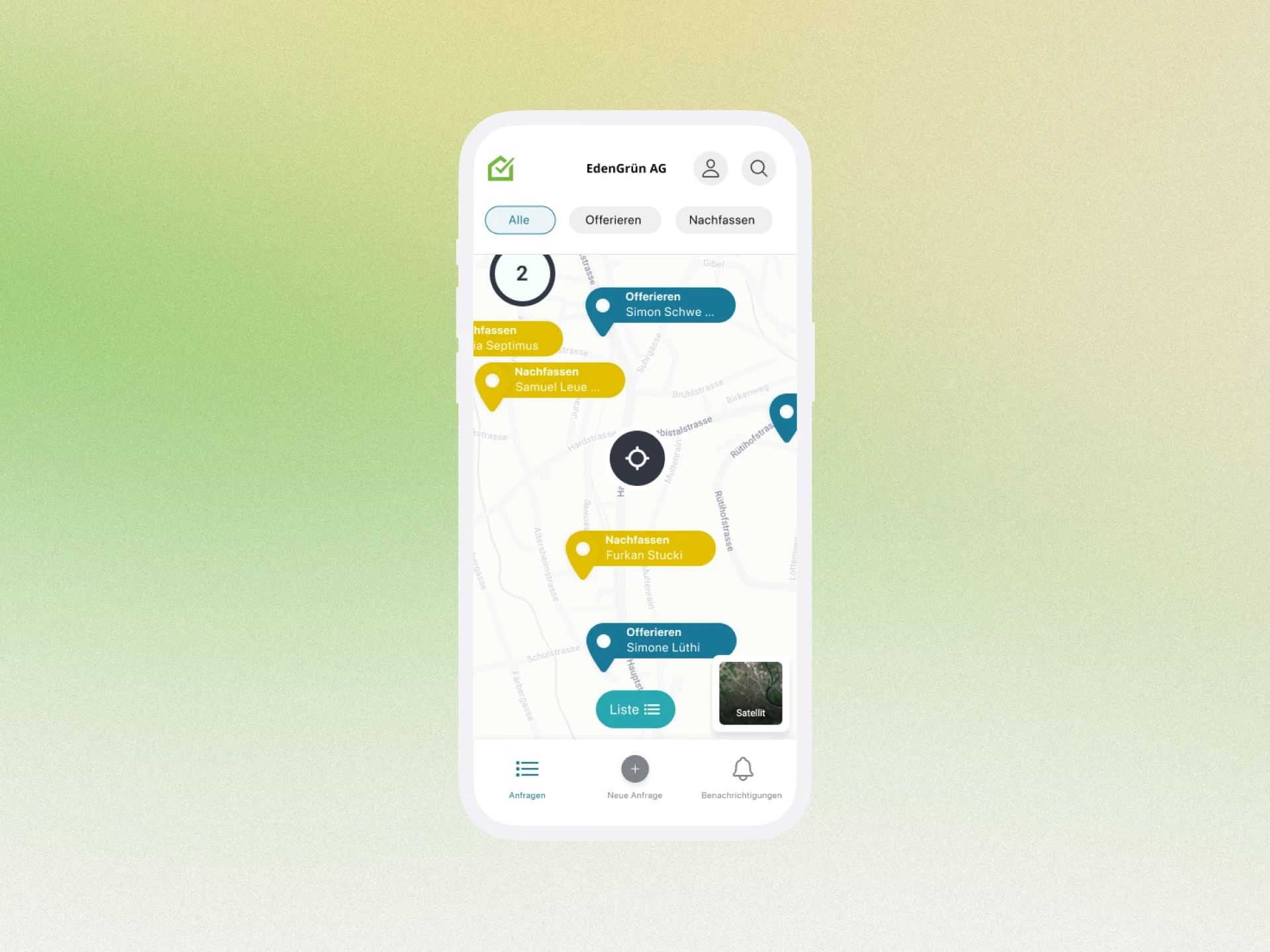
B2B/SaaS Map Feature
Process
Note: All presented content and data have been anonymized or abstracted to maintain contractual confidentiality agreements (NDA) as well as data protection.
Context and Problem
With HouzyConnect, the digital customer portal of the Swiss PropTech company Houzy, craft businesses can centrally manage and largely automate their quoting and customer processes from the first contact to project completion. This saves businesses administrative time, increases their closing rate, and provides direct access to a large community of homeowners across Switzerland.
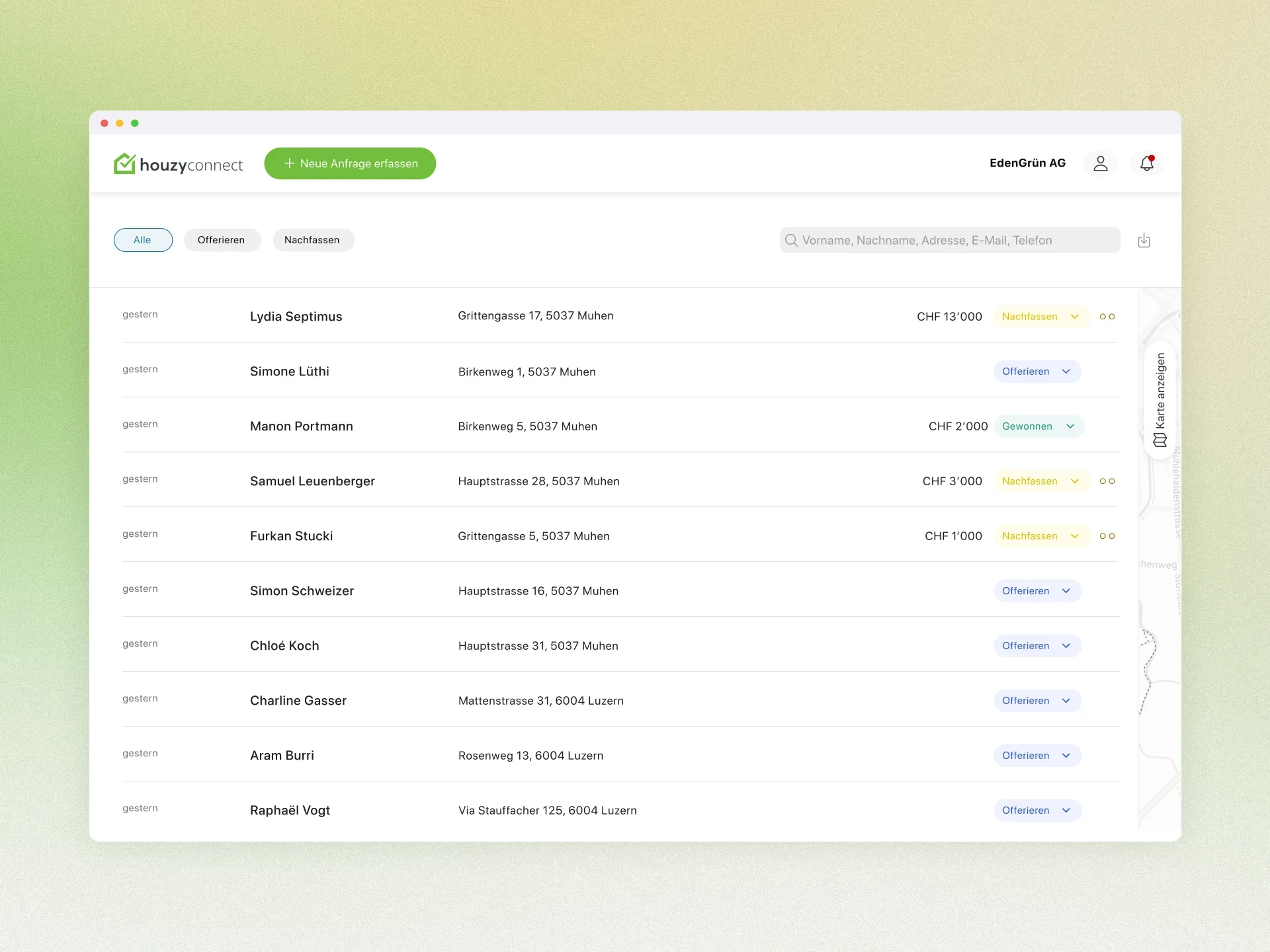
After the launch of HouzyConnect, the solution supported craft businesses in managing incoming customer inquiries, but it was heavily list-based in its interface, making it less intuitive.
In discussions and sales, it became clear that while craftsmen had sufficient information about the orders, they lacked a quick overview of where these are located geographically and how to efficiently combine visits.
Central problems from the user's perspective:
Addresses were regularly copied into Google Maps or GIS systems to check distances and accessibility.
Accordingly, routes were planned outside of HouzyConnect, resulting in media breaks and loss of time.
Craftsmen had to estimate effort and travel time without having a visual overview of all ongoing inquiries.
Goals and Success Criteria
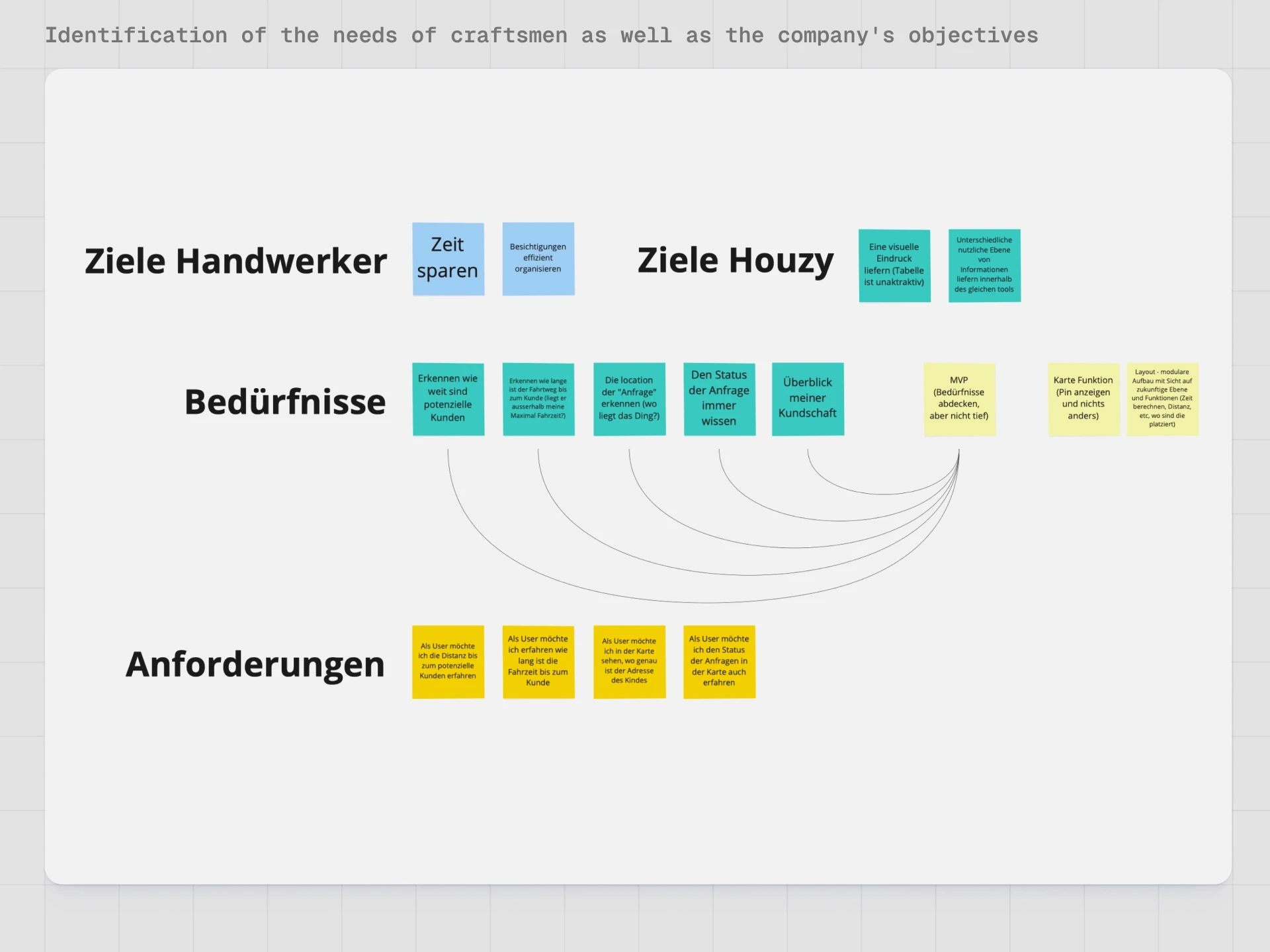
Together with Product, Sales, and UX, clear goals and hypotheses were defined.
Product and UX goals:
Demonstrate value: Show that a map view provides craftsmen with a noticeable efficiency gain.
Keep complexity manageable: Additional information must not overwhelm users – especially on mobile.
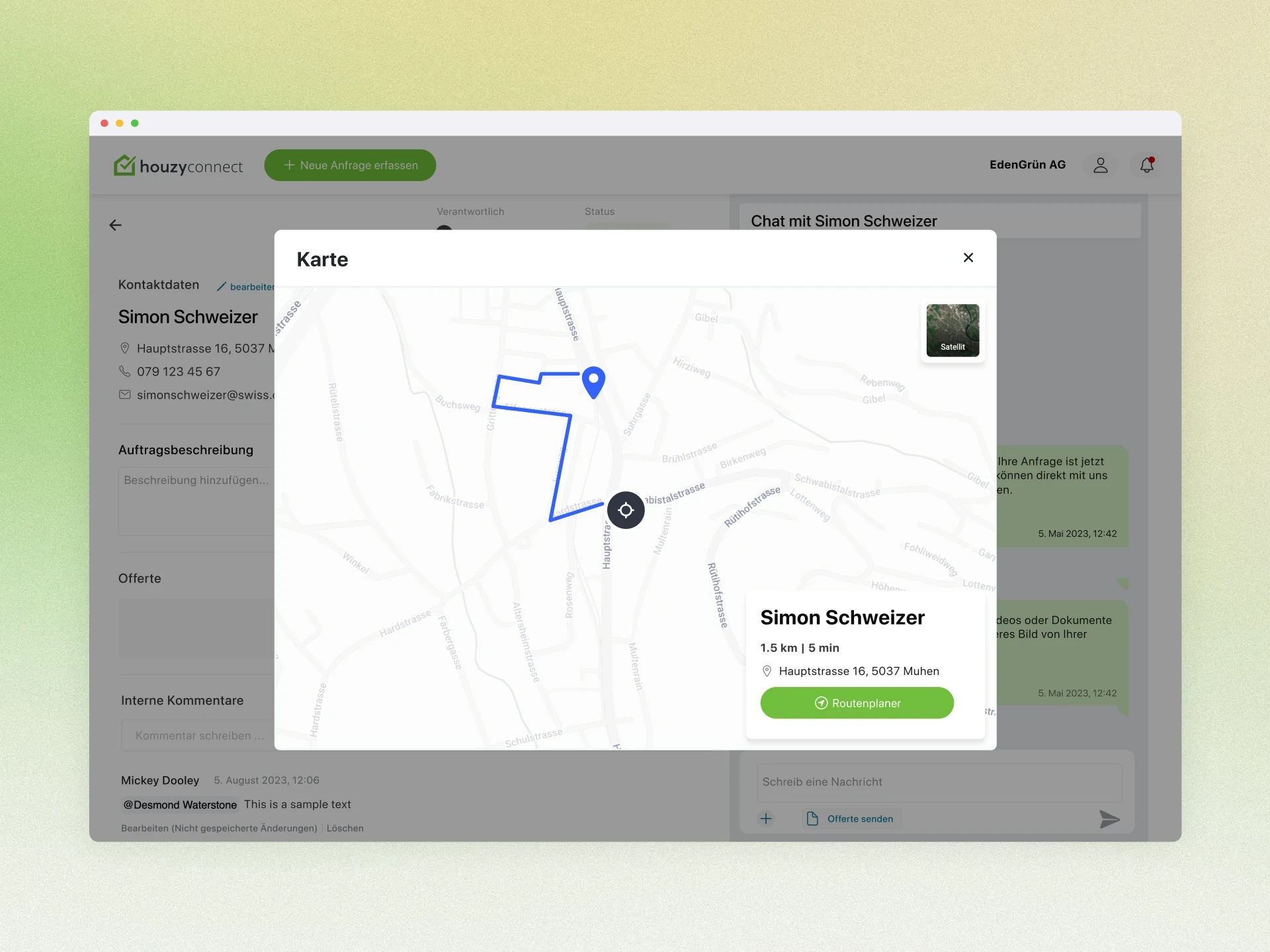
Integrate route planning: Make route and distance including handoff to the preferred navigation system available with a few clicks.
Business goals:
Differentiation from simple list solutions through a professional, visually stronger feature.
Modular structure to allow for cost-effective future expansions (e.g., premium features).
Long-term increase in customer satisfaction and market attractiveness – especially in the context of HouzyConnect Light and potential premium strategies.
Research and Insights
Desk Research & Competitive Analysis
Initially, comparable solutions were analyzed, including map views from real estate and SaaS tools.
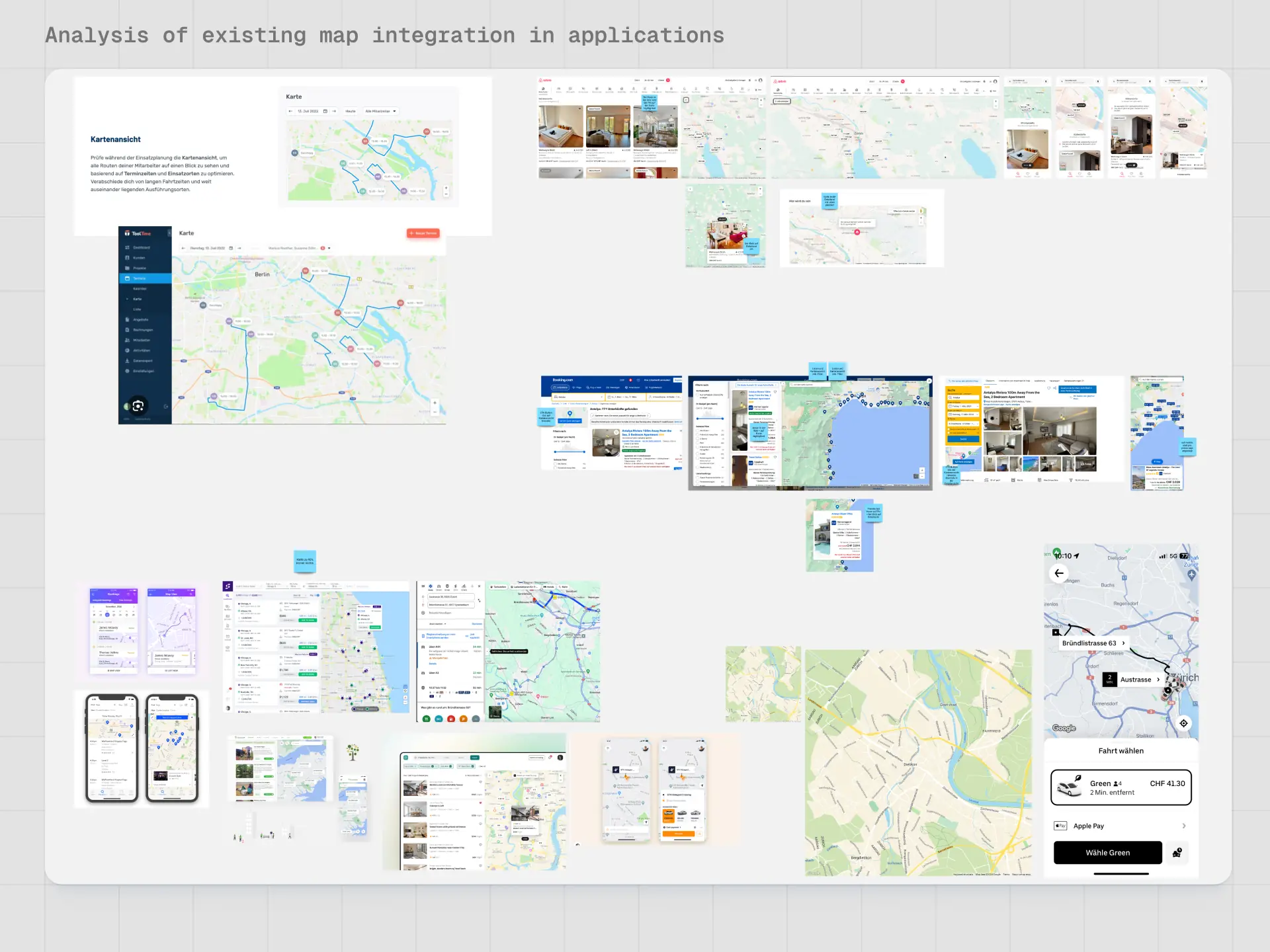
Key patterns that were adopted or adapted:
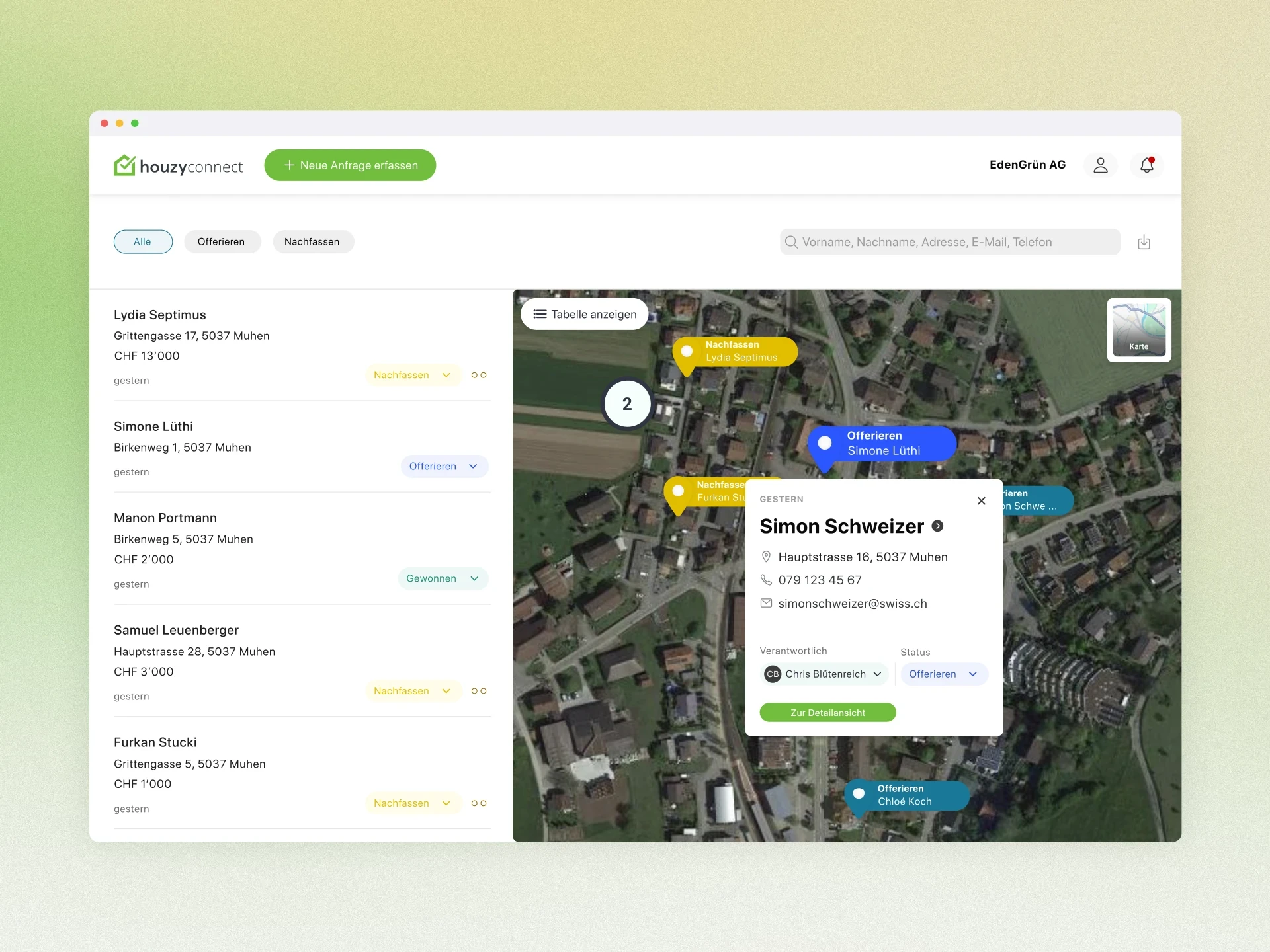
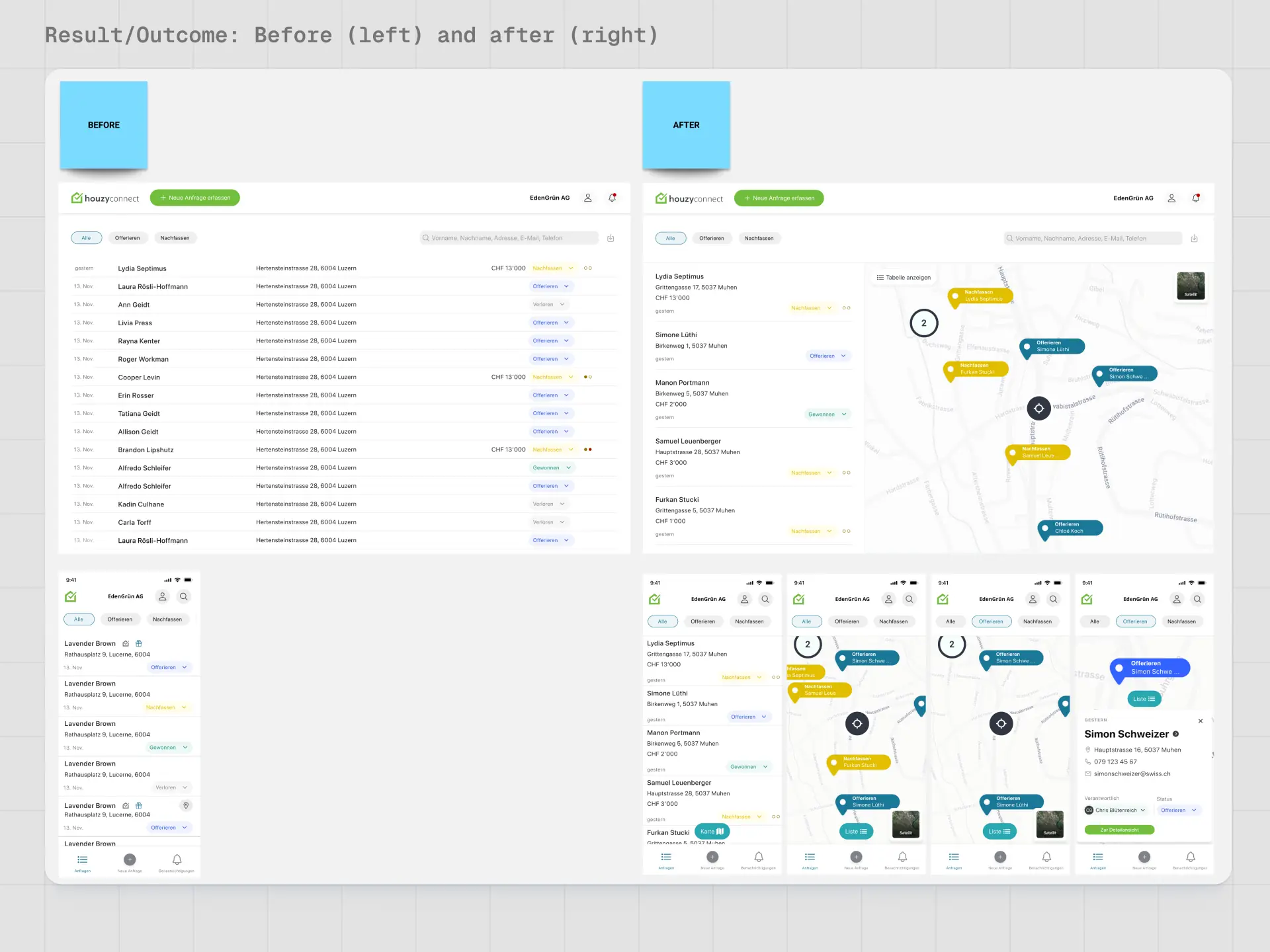
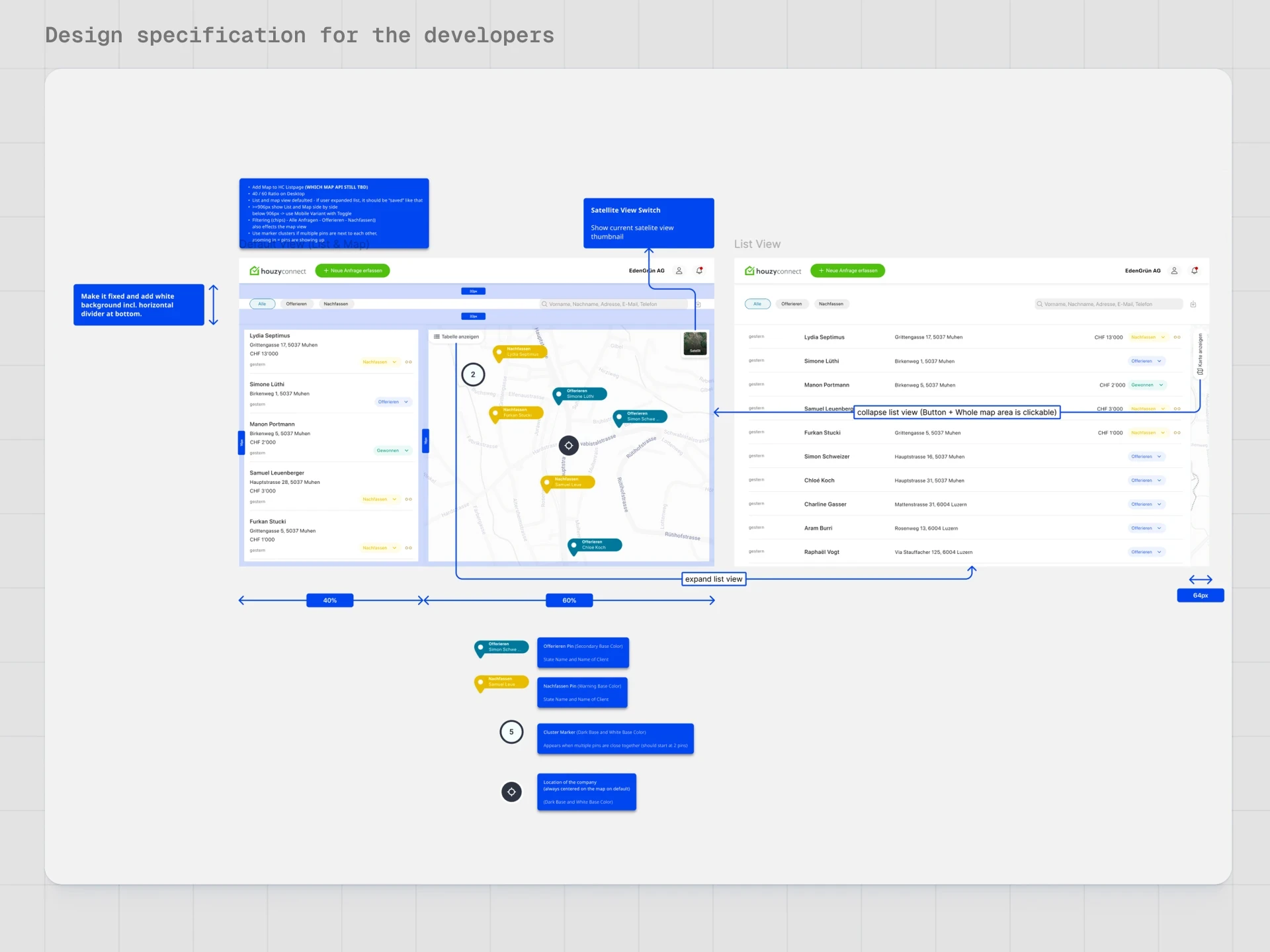
Shared view with a list on the left and a map on the right in the desktop view.
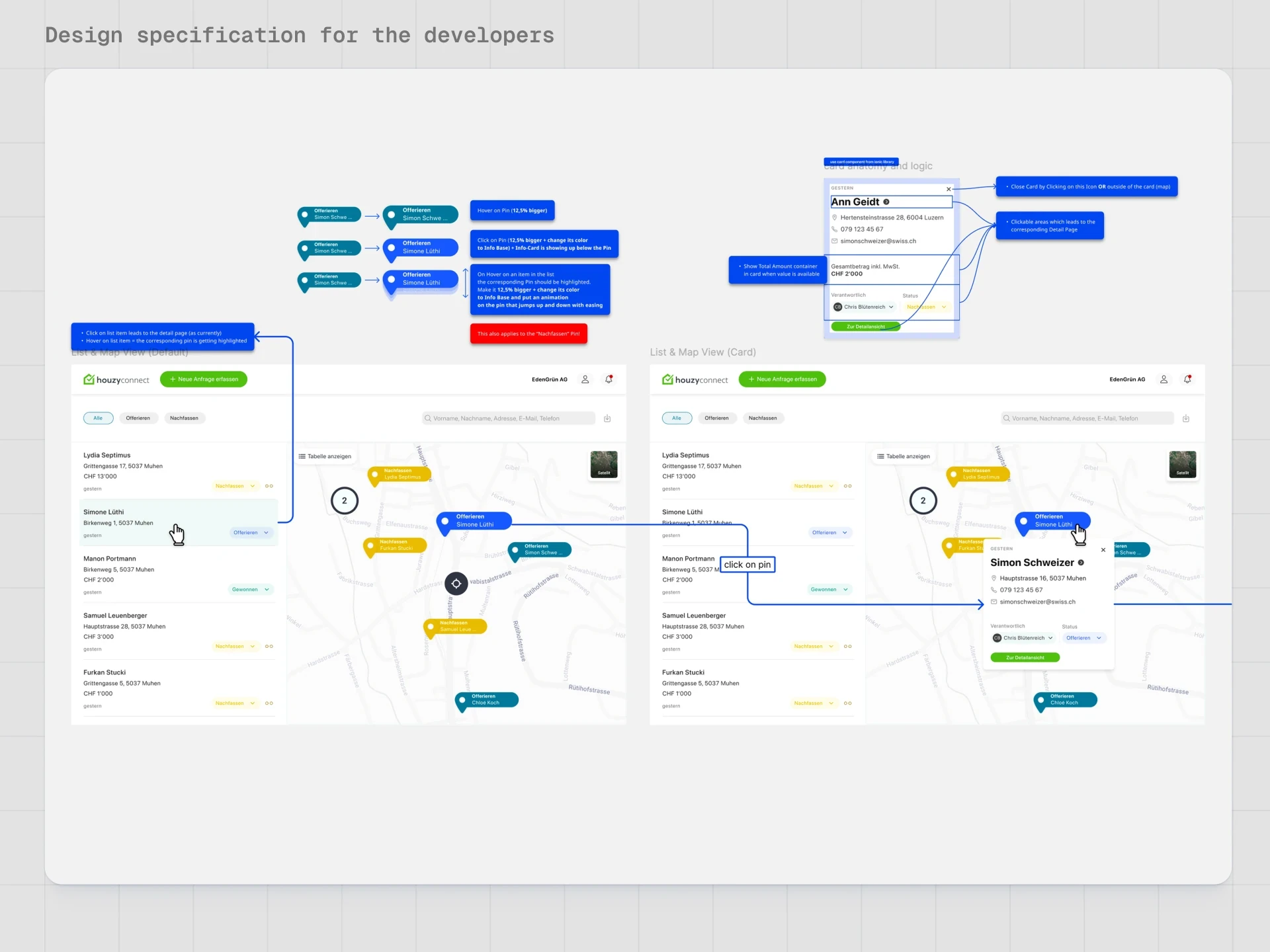
A list entry highlights the corresponding pin on the map.
Info card on pin click with condensed key information about the order.
The desk research helped keep scope and complexity realistic and to rely on proven patterns rather than reinventing the interface from scratch.
User Understanding: Craftsman's Everyday Life
In workshops and preliminary talks with craftsmen, typical processes around new inquiries were recorded in detail.
Key insights:
Location verification is a fixed part of the process, especially with new customers and larger projects.
Many craftsmen think in terms of distance or travel time and almost always use Google Maps or Street View to assess the location, access, and parking options.
On-site visits are essential, making efficient tour planning have a direct impact on time and cost savings.
Concept and Iterations
Solution Proposals and Variants
The solution proposals were structured and developed in several iterations.
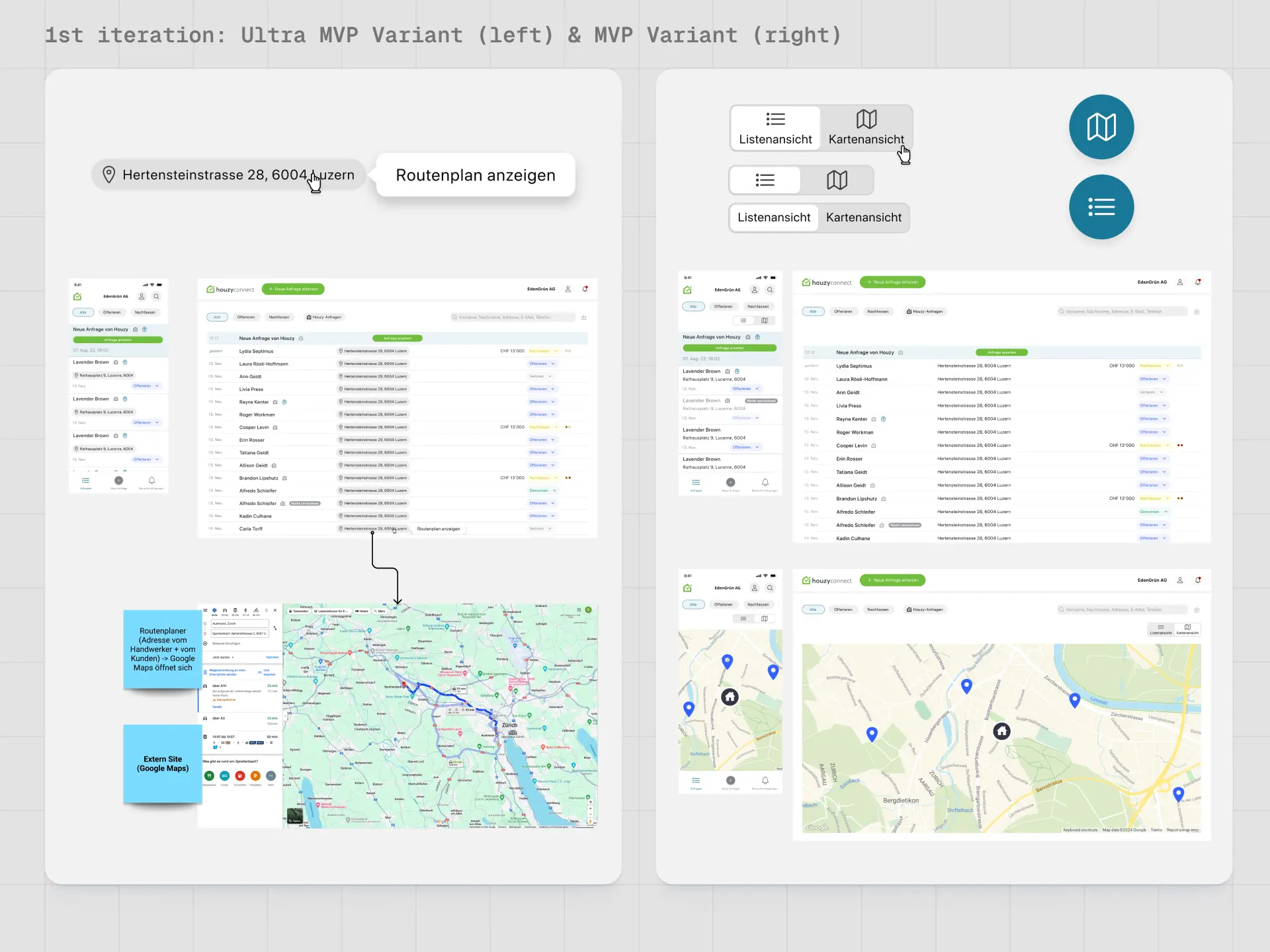
Ultra-MVP (Link to external navigation):
A simple "Route Planner" button next to the address opens Google Maps in a new tab.
Result: Technically simple, but offers little more value than manually copying the address; potentially error-prone and not really integrated.
MVP: Integrated map view without tight coupling to the list
The map is embedded in HouzyConnect, allowing users to switch between list and map views.
Advantage: Reduced implementation effort, as both views still function relatively independently.
Challenge: Expectations of synchronization and clear orientation between list and map.
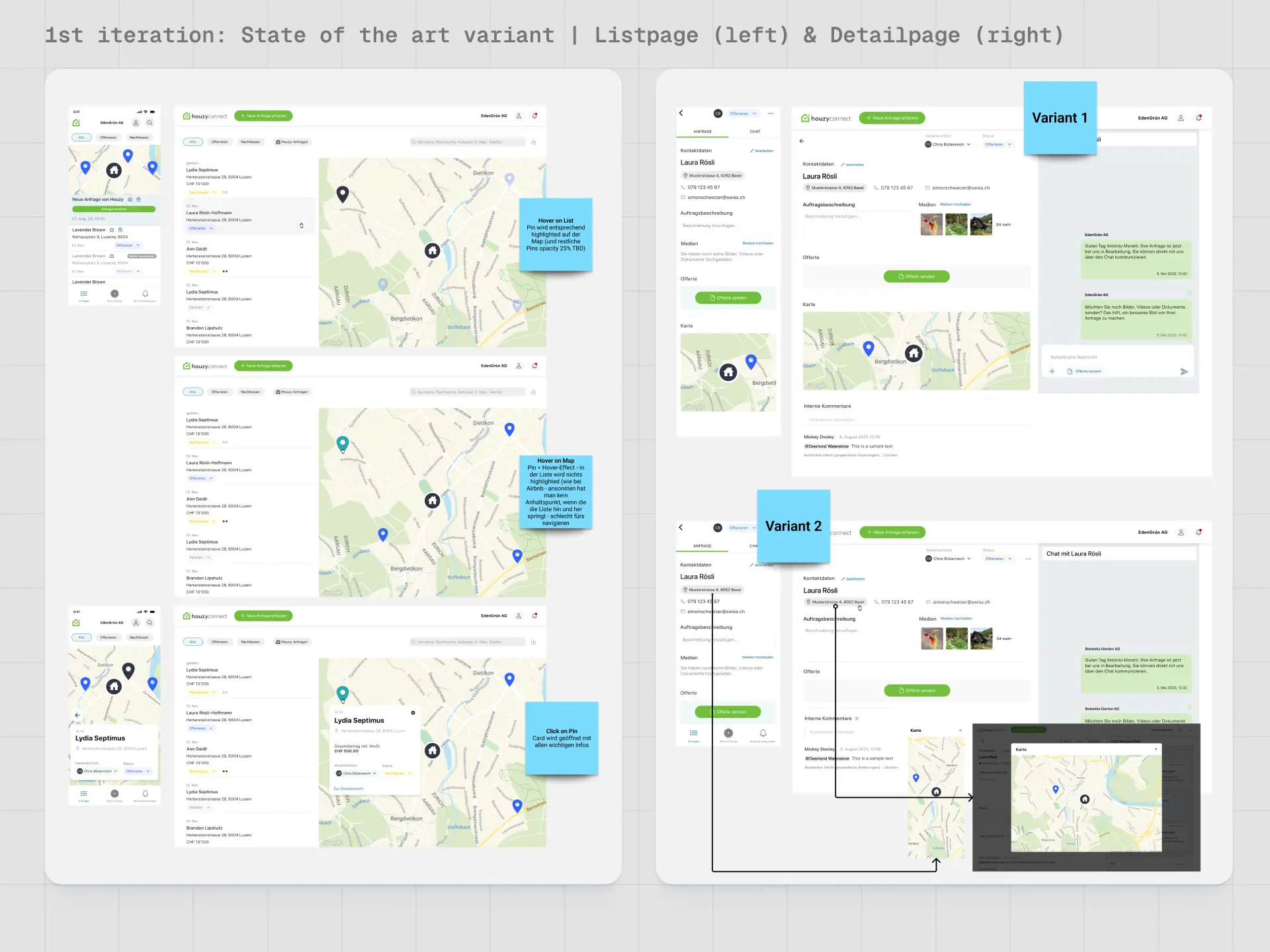
“State of the Art” version: List and map connected
The list and map are combined so that interactions reflect each other (hover, selection, pins).
Visually calm map, focus on interaction and readability to avoid overwhelming.
Decision: This variant was prioritized as the target image and further refined.
Technical Framework Conditions: Map API
At the same time, an evaluation of the map APIs was conducted (Google Maps, Mapbox, OpenStreetMap) to connect UX requirements with costs and development effort.
Results:
Mapbox was preferred by developers, OpenStreetMap would be possible but would require higher customization effort.
Google Maps offers advantages for Street View, but is significantly more expensive at higher volumes.
For geocoding, minimum packages arise (e.g., 5,000–10,000 addresses), which becomes relevant with growth to 800+ partners.
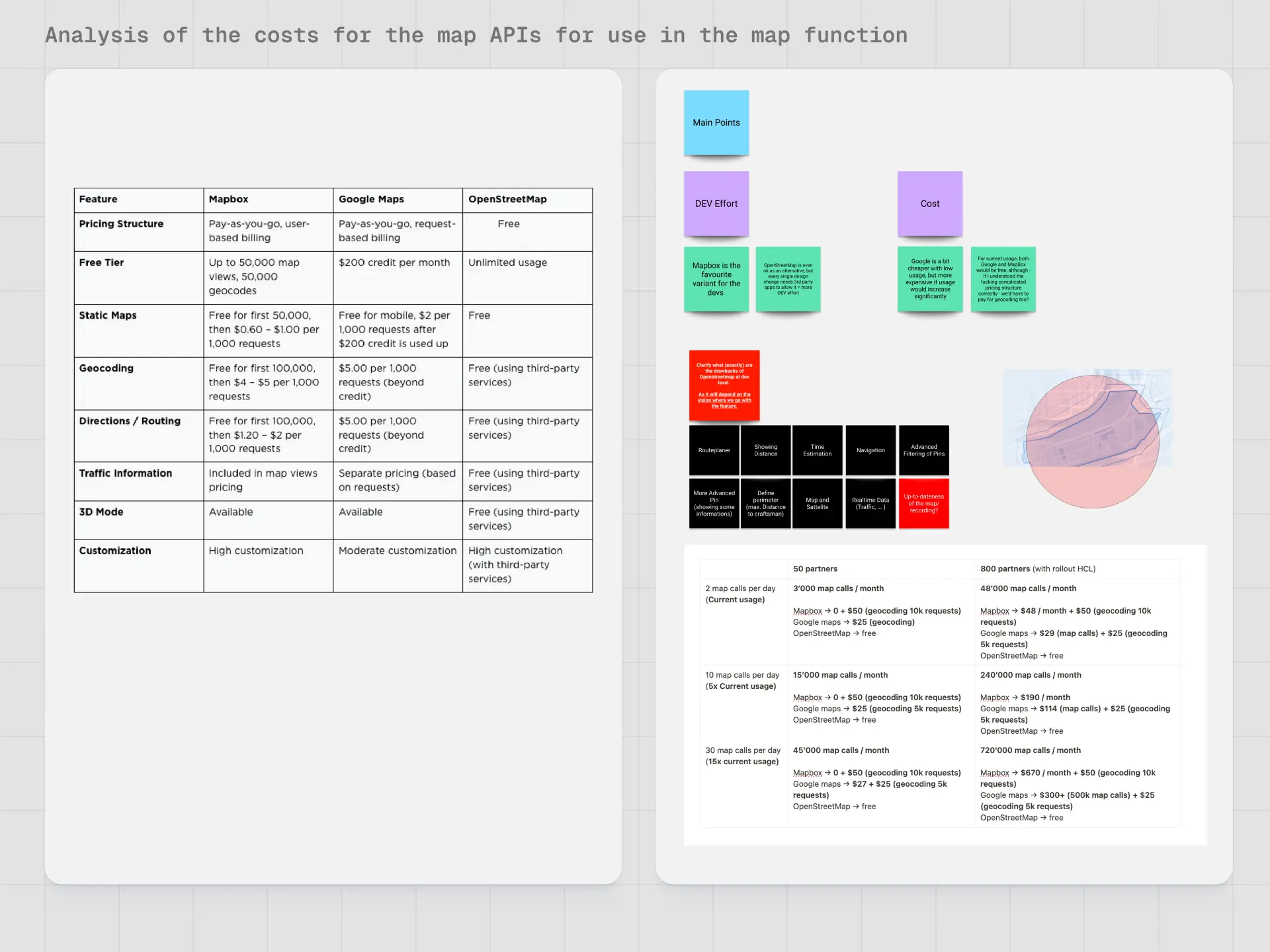
This analysis directly influenced the conceptualization, particularly regarding Street View and long-term scaling.
UI Design and Interaction Concept
Pin Design and Status Logic
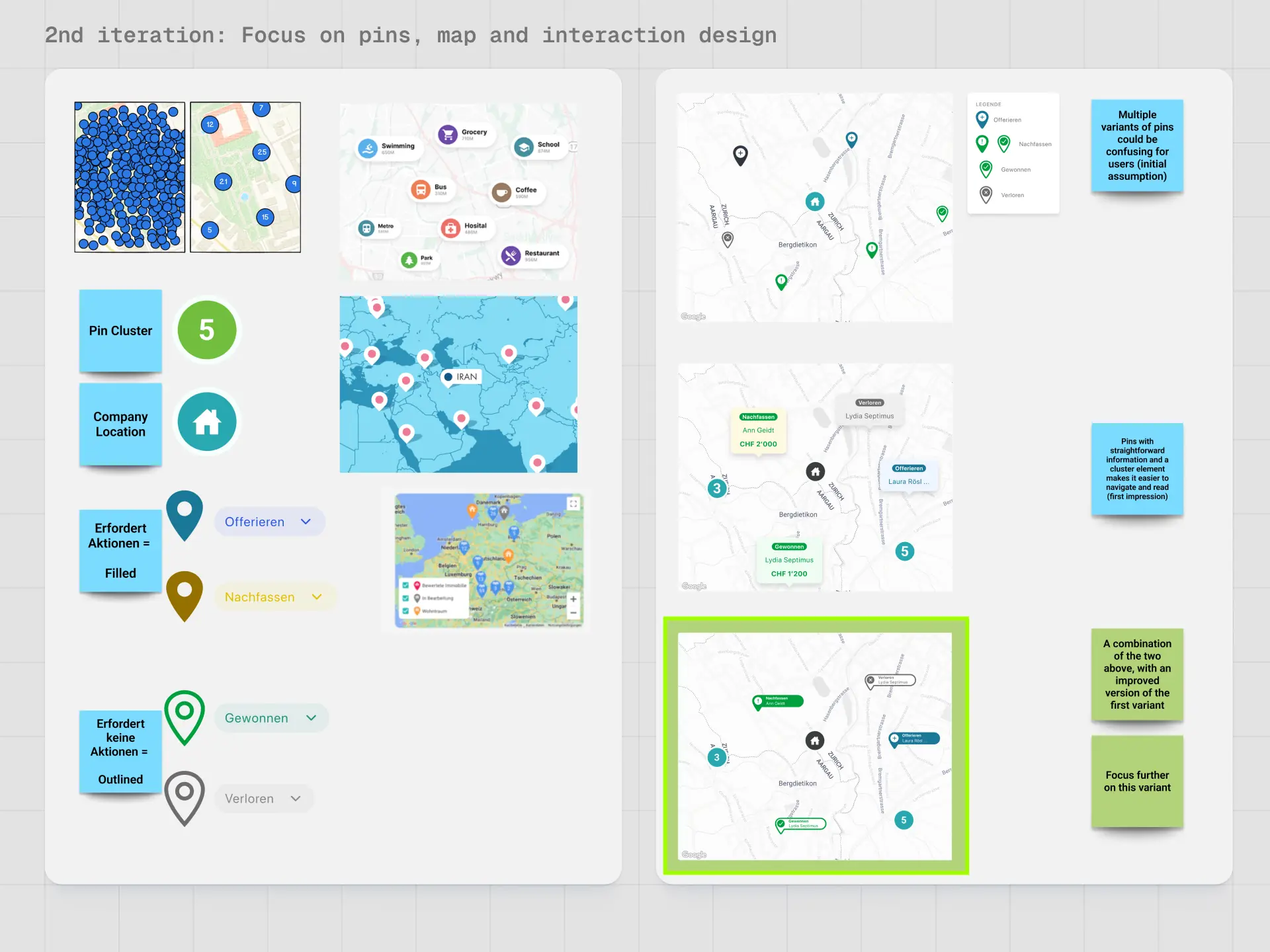
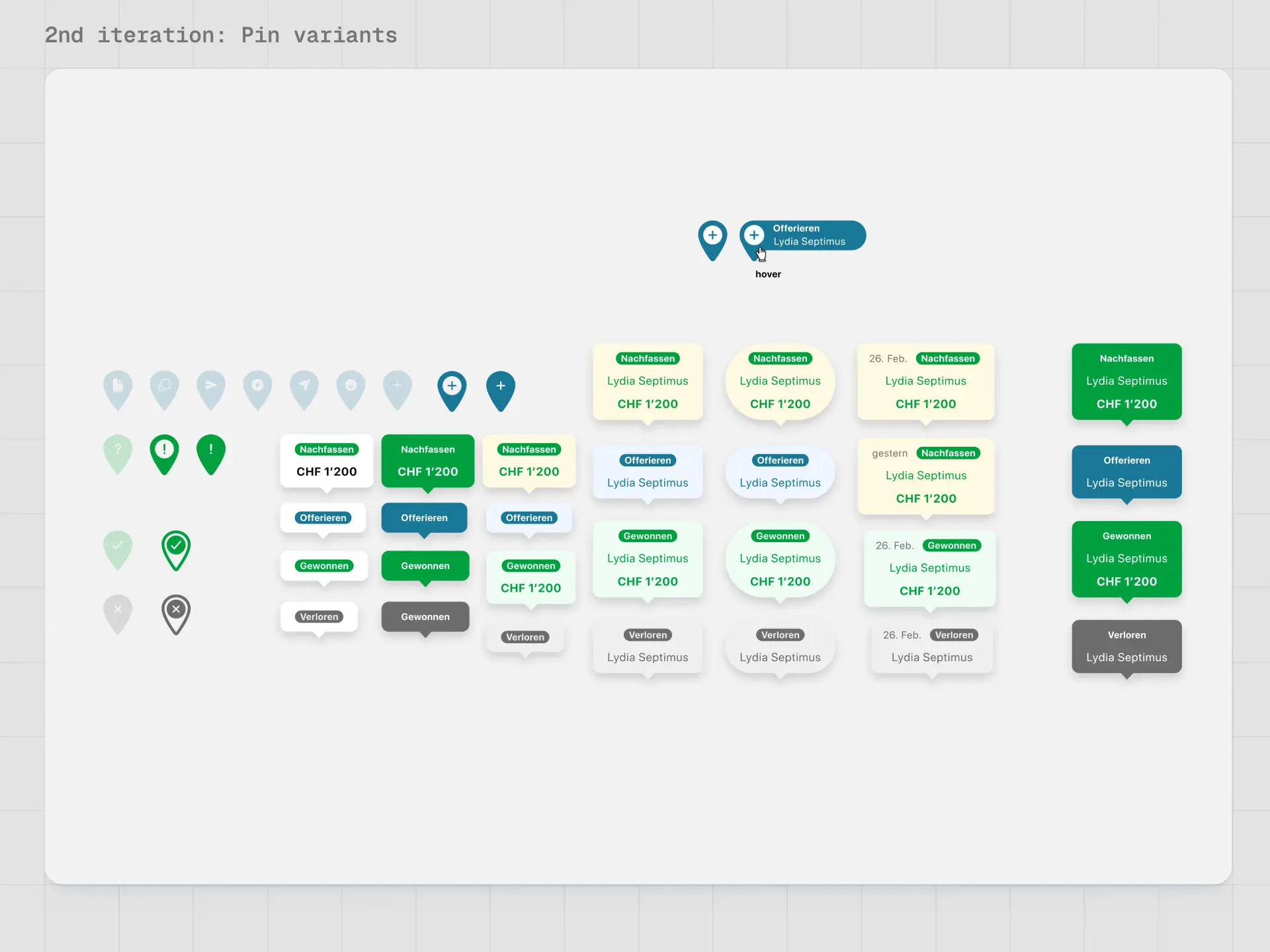
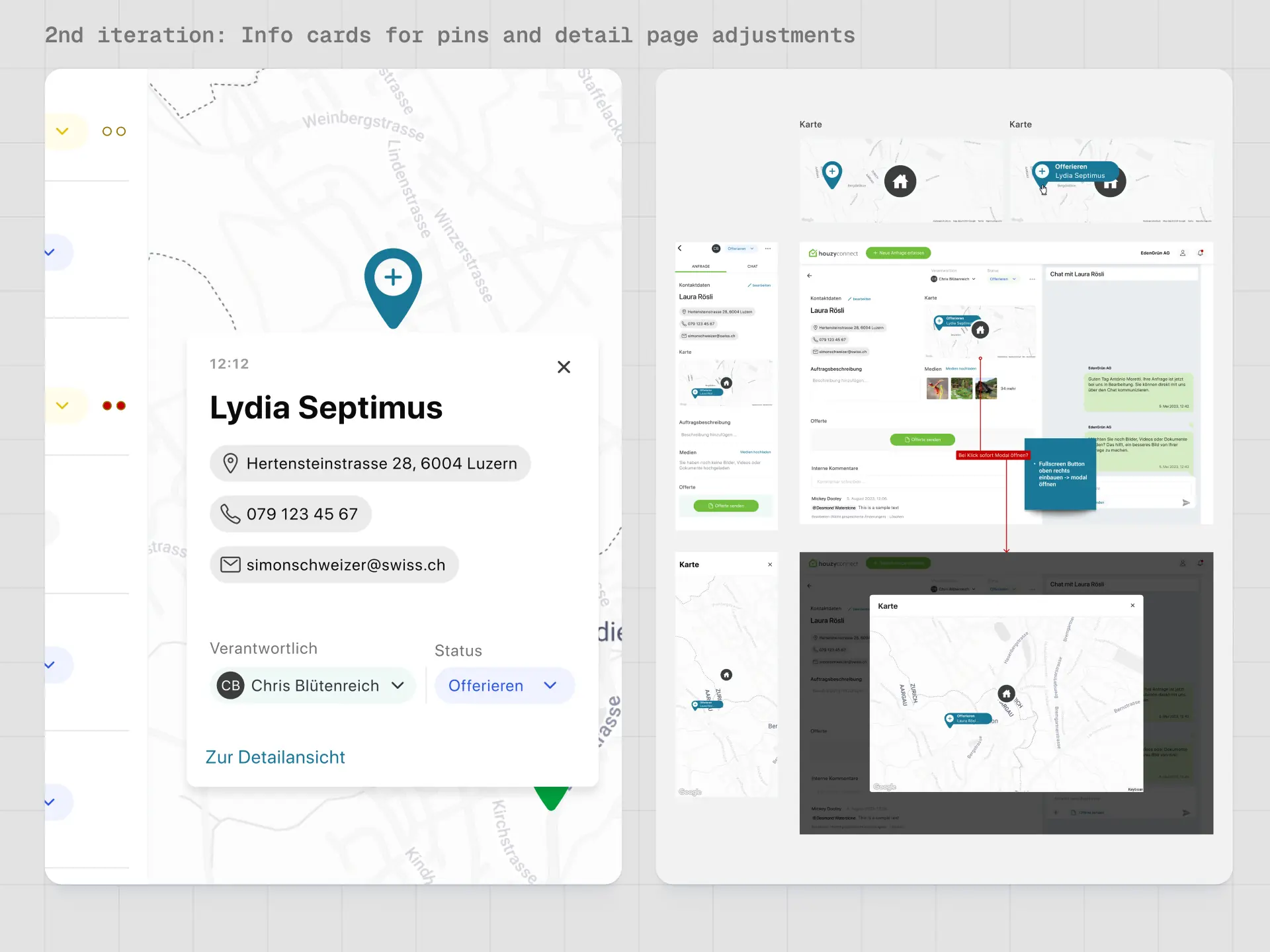
A focus was placed on pin design, as it controls both information density and visual clarity.
Pins are color-coded by order status (e.g., "Quoting", "Follow-Up"), allowing craftsmen to identify relevant inquiries at a glance.
Different variants were tested: simple standard pins vs. extended pins with customer information.
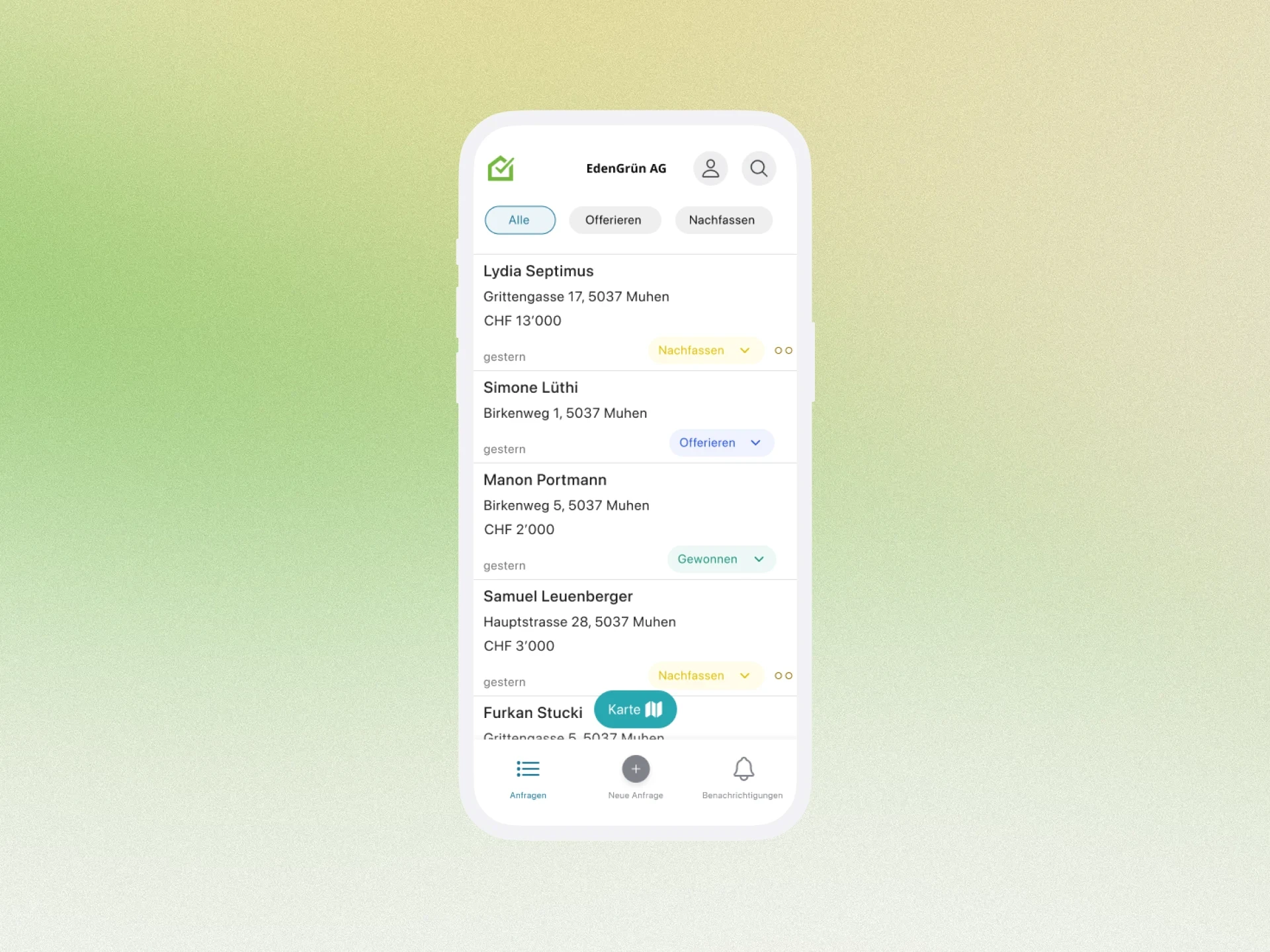
Decision: Standard pins surprisingly worked well for desktop, while extended pins were perceived as particularly helpful on mobile.
Desktop and Mobile Layout
The layout follows proven patterns but was specifically tailored to the target audience of craftsmen.
Desktop: List on the left, map on the right; hovering over the list highlights the corresponding pin, clicking on a pin opens a compact info card.
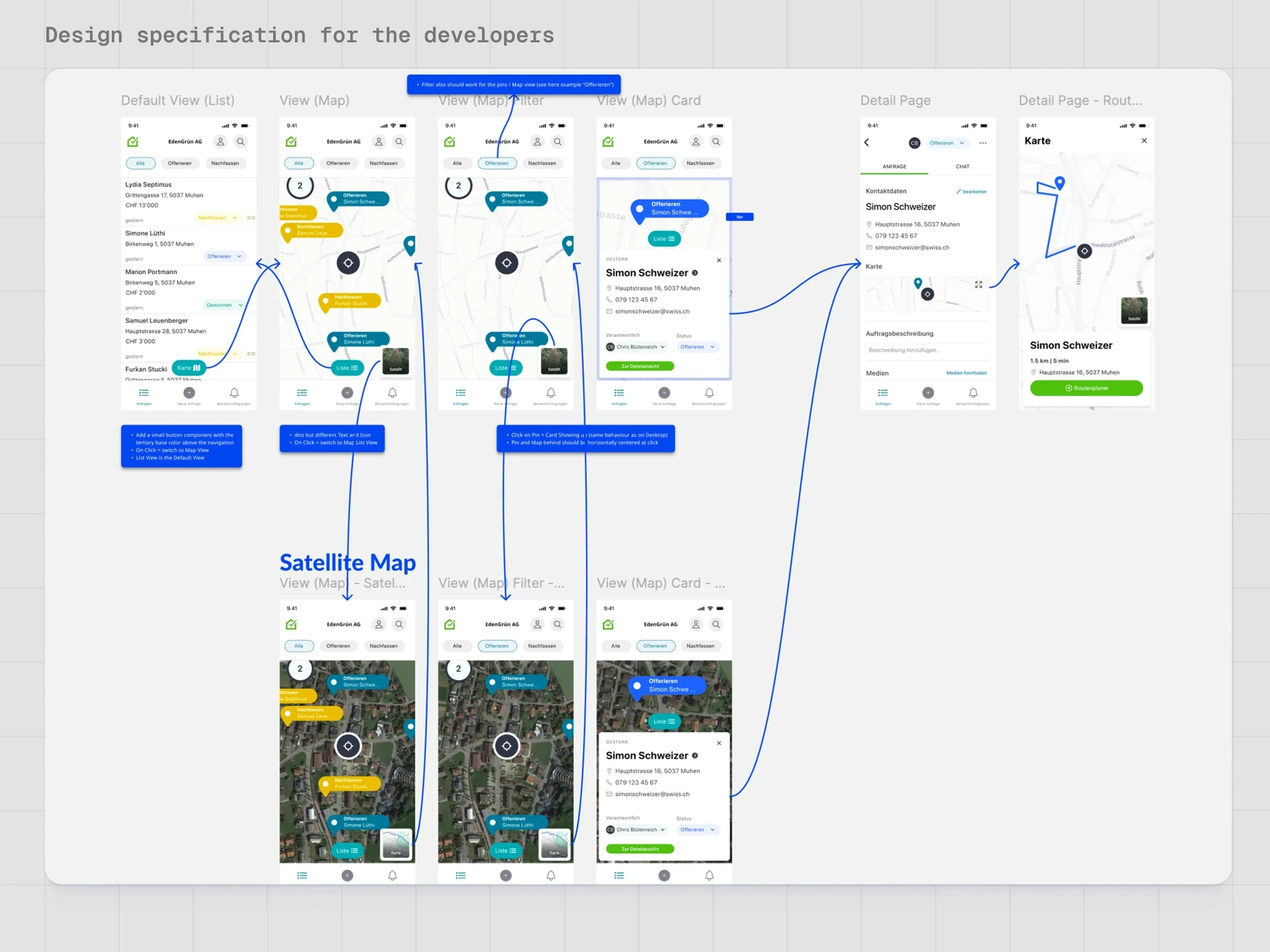
Mobile: Default list view, switch to map view via a floating action button (FAB).
On the details page of an inquiry, the map is prominently integrated, including route start with handoff to the device's navigation system.
The map styling was deliberately kept neutral and minimalistic so that status colors, pins, and interactions remain clearly recognizable.
Test Setup and Procedure
Prototype and Scenarios
For validation, an interactive Figma prototype was created for desktop and mobile, depicting the main interactions.
Limitations (e.g., no real scroll or pinch-to-zoom) were made transparent to the test subjects.
Test tasks were based on real cases: checking inquiries, assessing distance and feasibility, planning routes to two clients.
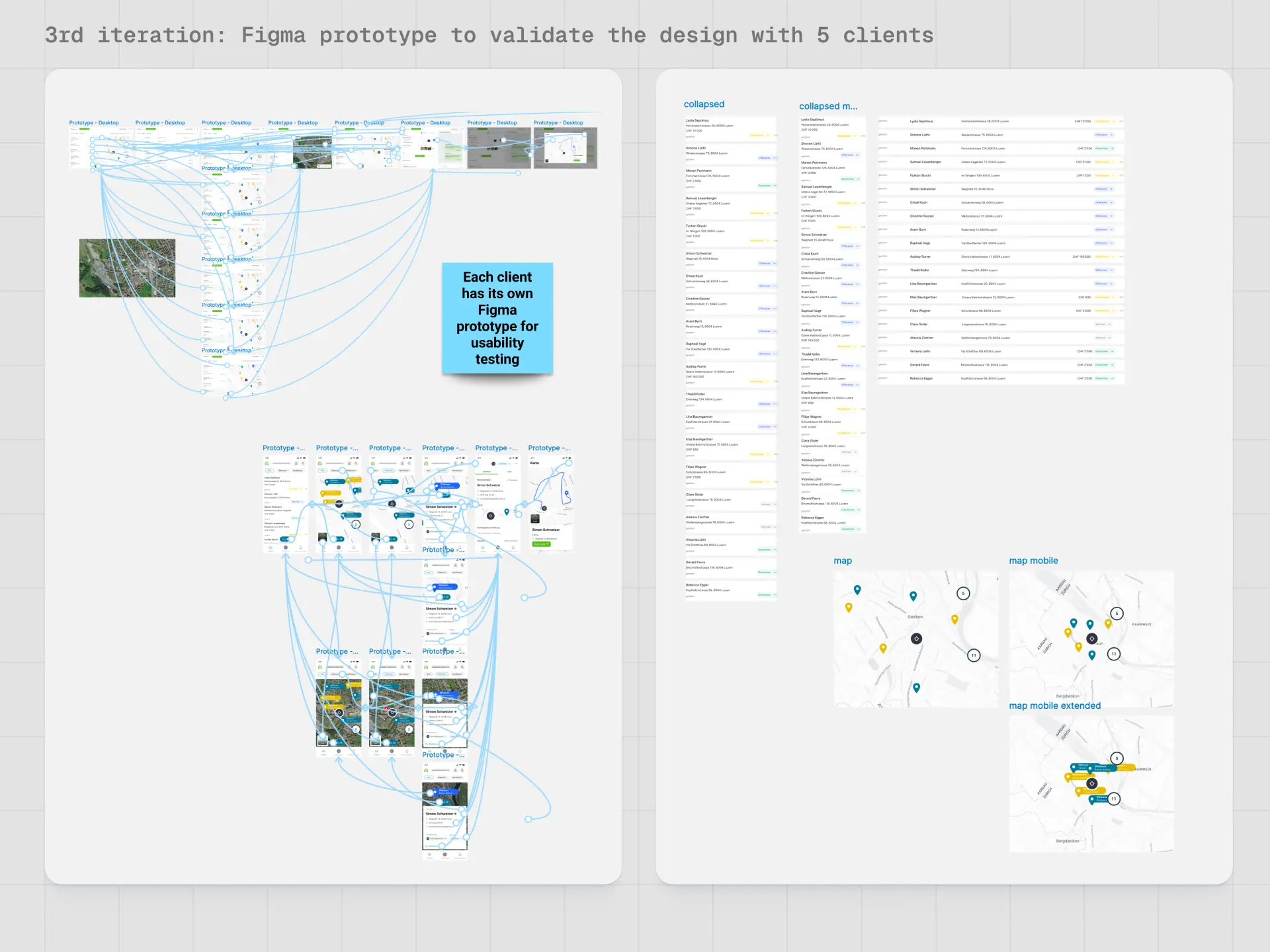
An important point in the setup was the contextualization per craftsman:
Realistic addresses from the vicinity of each craftsman were integrated into the prototype.
Company names and assignees were personalized to simulate real situations as closely as possible.
Participants
Five craftsmen from different trades (including painters, landscaping, shutter construction) who were already working with HouzyConnect were tested. This ensured that feedback was relevant both to the function and to its integration into existing workflows.
Result
Results and Learnings
Usability
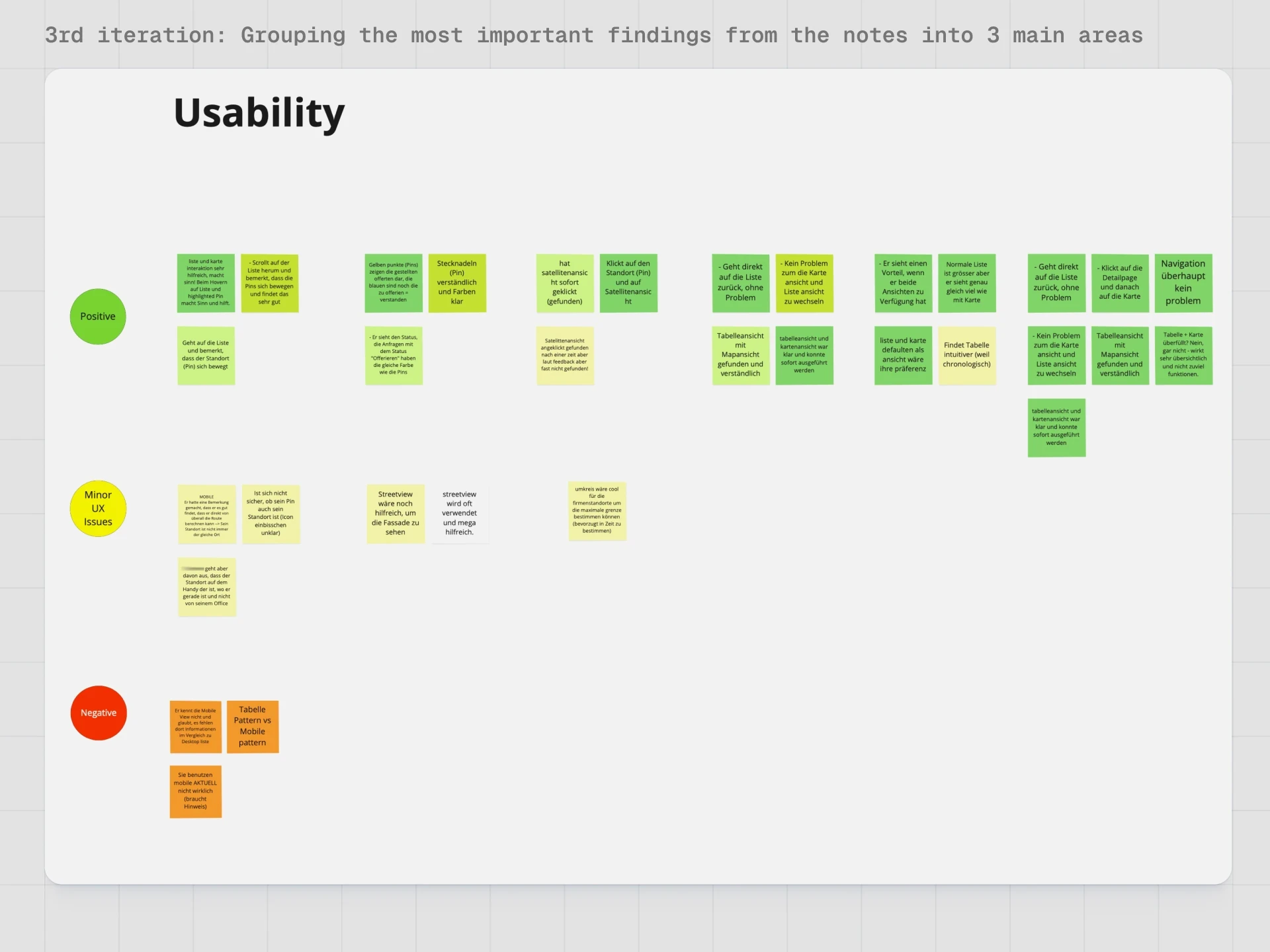
The usability of the map function was rated extraordinarily positively in all tests.
The map view did not overwhelm any users – on the contrary, its structure and amount of information were perceived as clear and intuitive.
The switch between list view and map view was quickly understood, both on desktop and mobile.
Users recognized the relationship between the list and pins without additional explanation, including highlighting and navigation to the detail view.
Standard pins worked better than expected; enhanced pins were particularly mentioned as a desirable option on mobile.
Efficiency and Business Value
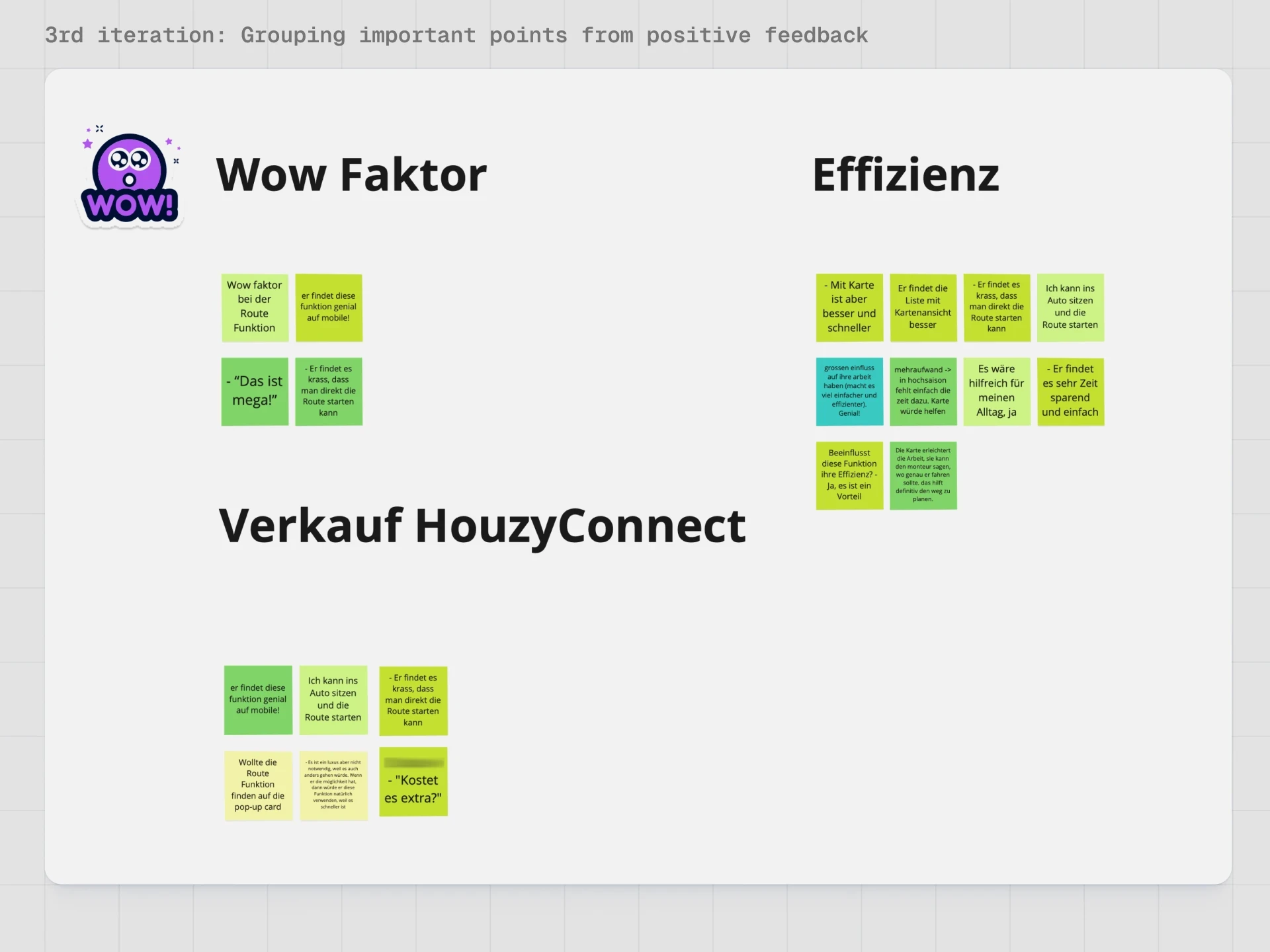
All craftsmen confirmed a clear efficiency gain from the map function.
The ability to see customer locations directly on the map significantly facilitates the assessment of distance and feasibility.
The integrated route function elicited an explicit "Wow" or "brilliant" reaction from 4 out of 5 testers.
On mobile, the direct handover to Google Maps or Apple Maps was perceived as particularly valuable, as the route can be started "from anywhere".
From a business perspective, it became clear:
The map function is perceived as a strong added value and "luxury feature" that noticeably simplifies everyday life.
All testers saw a direct connection to their actual needs, even if the function alone was not perceived as the sole reason to pay for HouzyConnect.
The results support the idea of positioning the map and route function in the future as a premium feature or part of a value package.
Role and Contribution
In this project, I served as the project manager and was responsible for the conception function at both strategic and operational levels.
My contributions included:
Structuring the idea from the sales area into a clear product goal with hypotheses and MVP scope.
Conducting desk research, deriving UI patterns, and defining the modular feature setup.
Creating wireframes, screen designs, and prototypes for desktop and mobile.
Planning and conducting usability tests on-site together with the UX lead, including scenarios, moderation, and evaluation.
Creating a detailed specification (including API decision basis) for the development team.
Learnings and Outlook
Important learnings from the project:
Realistic addresses and familiar environments significantly increase the quality of feedback.
A map function can be gradually expanded from ultra-MVP to state-of-the-art as architecture and layout are prepared for it.
Interfaces must be clear, reduced, and fault-tolerant, as a large part of the target group (craftsmen) has little technical experience in digital work life.
In the long term, the modular design allows for building additional functions such as cluster optimizations, route optimization for multiple appointments, or premium packages around efficiency tools.